Case Study: Designing a Workflow-Driven Onboarding Experience
Role: Senior Product Design Manager
Team: 1 Product Designer (direct report), Product Manager, Engineering
Product: Bluebeam Web — cloud-based document collaboration and markup platform for construction teams
Overview
Bluebeam Web was expanding its capabilities for cloud-based collaboration, but new users were struggling to understand where to start when entering the product.
At the same time, the team was building a new homepage experience, creating an opportunity to design a purpose-built onboarding experience that could introduce users to the most important workflows.
As the Product Design Manager, I partnered with my Product Designer to define the strategy, guide the discovery process, and shape the overall onboarding framework.
The goal was to create an onboarding experience that:
- Helps users quickly understand the value of Bluebeam Web
- Encourages exploration without forcing rigid tutorials
- Supports different learning styles
- Reduces friction for first-time users
Problem
As Bluebeam Web expanded, new users entering the product often lacked clarity on what to do first.
Unlike many SaaS products, Bluebeam is used by professionals in architecture, engineering, and construction who are typically:
- working under time pressure
- focused on completing real tasks
- not interested in lengthy tutorials
At the same time, the product had recently expanded to support several new cloud workflows including document markup, project version control, and real-time collaboration.
This created a critical onboarding challenge:
How might we help new users quickly understand the most valuable workflows in Bluebeam Web without interrupting their work or forcing them through rigid tutorials?
The Challenge
Bluebeam Web is used by professionals in architecture, engineering, and construction who are often:
- busy and task-focused
- unfamiliar with cloud-based workflows
- transitioning from the desktop product (Revu)
Traditional onboarding patterns such as step-by-step walkthroughs or coach marks risk interrupting users who simply want to begin working.
We needed an onboarding approach that:
- guides users toward meaningful workflows
- allows users to explore freely
- avoids interrupting real work
Discovery
Because we were simultaneously designing the new homepage, the team ran a focused discovery phase to understand:
- what new users need immediately
- which workflows deliver the most value early
- how much guidance users actually want
Defining Success
During discovery, the team aligned on the outcomes this onboarding experience needed to achieve.
User Outcomes
- Quickly understand what Bluebeam Web enables them to do
- Learn core workflows without needing external documentation
- Feel confident experimenting with the product
Business Outcomes
- Increase successful first-time product use
- Improve adoption of collaboration workflows
- Reduce reliance on external training materials
Product Outcomes
- Introduce a scalable onboarding framework
- Support different user learning styles
- Create a reusable pattern that could extend to other Bluebeam products
Discovery Activities
We conducted a short discovery sprint including:
- stakeholder alignment sessions
- defining success outcomes and business goals
- identifying usability risks
- mapping core product workflows
- reviewing customer support feedback
We also created a Swivel Chair Talk to align product, design, and engineering on the onboarding direction.
This helped ensure the team shared a clear understanding of:
- the problem
- the intended experience
- the success metrics
Key Insight: Different Users Want Different Levels of Guidance
One of the most important findings was that users approach onboarding differently.
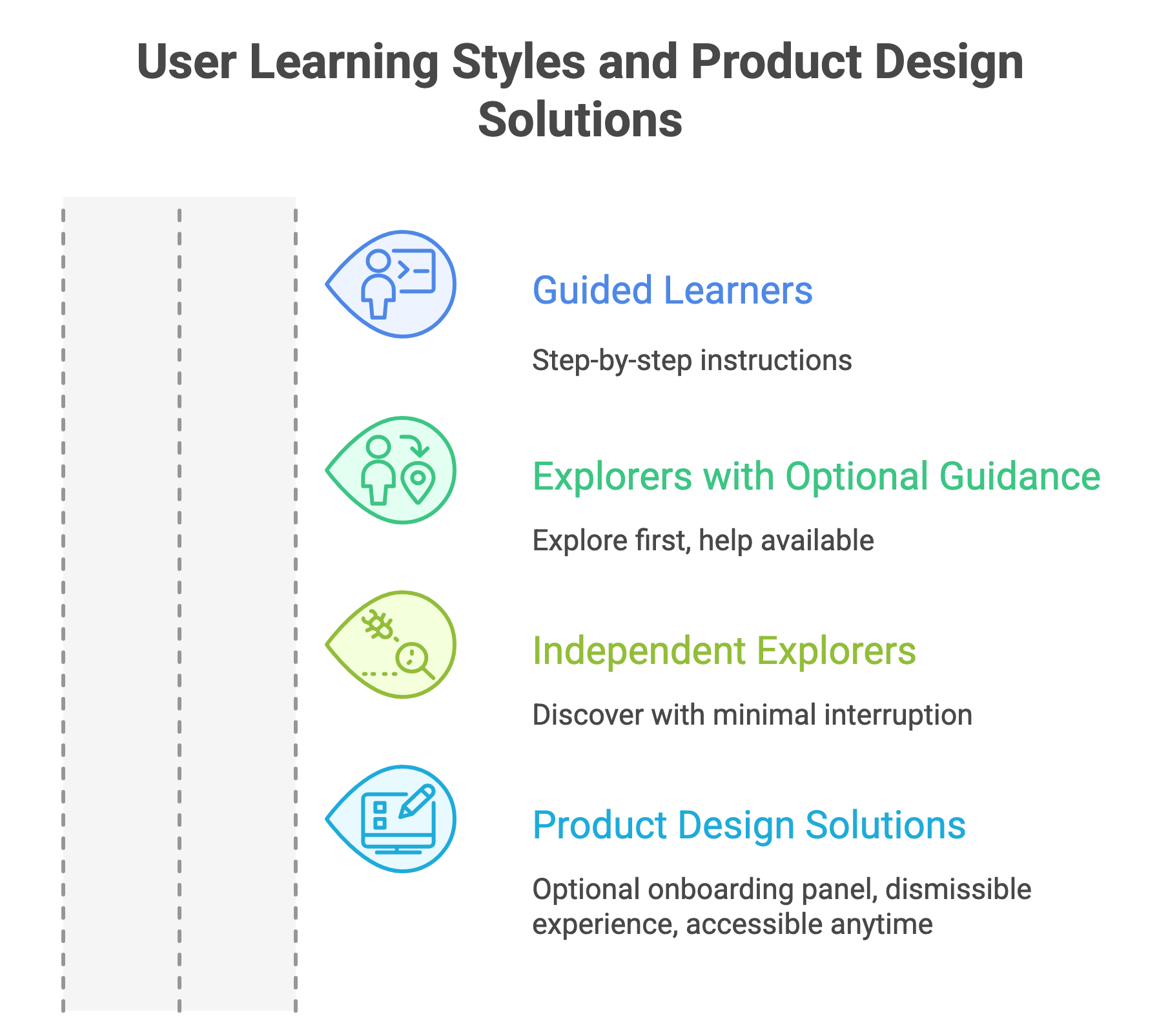
We identified three behavioral groups:
- Guided learners: Users who want step-by-step help immediately.
- Explorers with optional help: Users who prefer to explore first but want guidance available if needed.
- Independent explorers: Users who prefer no guidance and want to discover the product themselves.
This insight shaped the entire onboarding strategy.
Instead of forcing onboarding on users, we designed it to be optional and dismissible, while remaining easy to access later.
Identifying the Core Workflows
During discovery we analyzed which tasks represented the core value of Bluebeam Web.
Three workflows emerged as the most important:
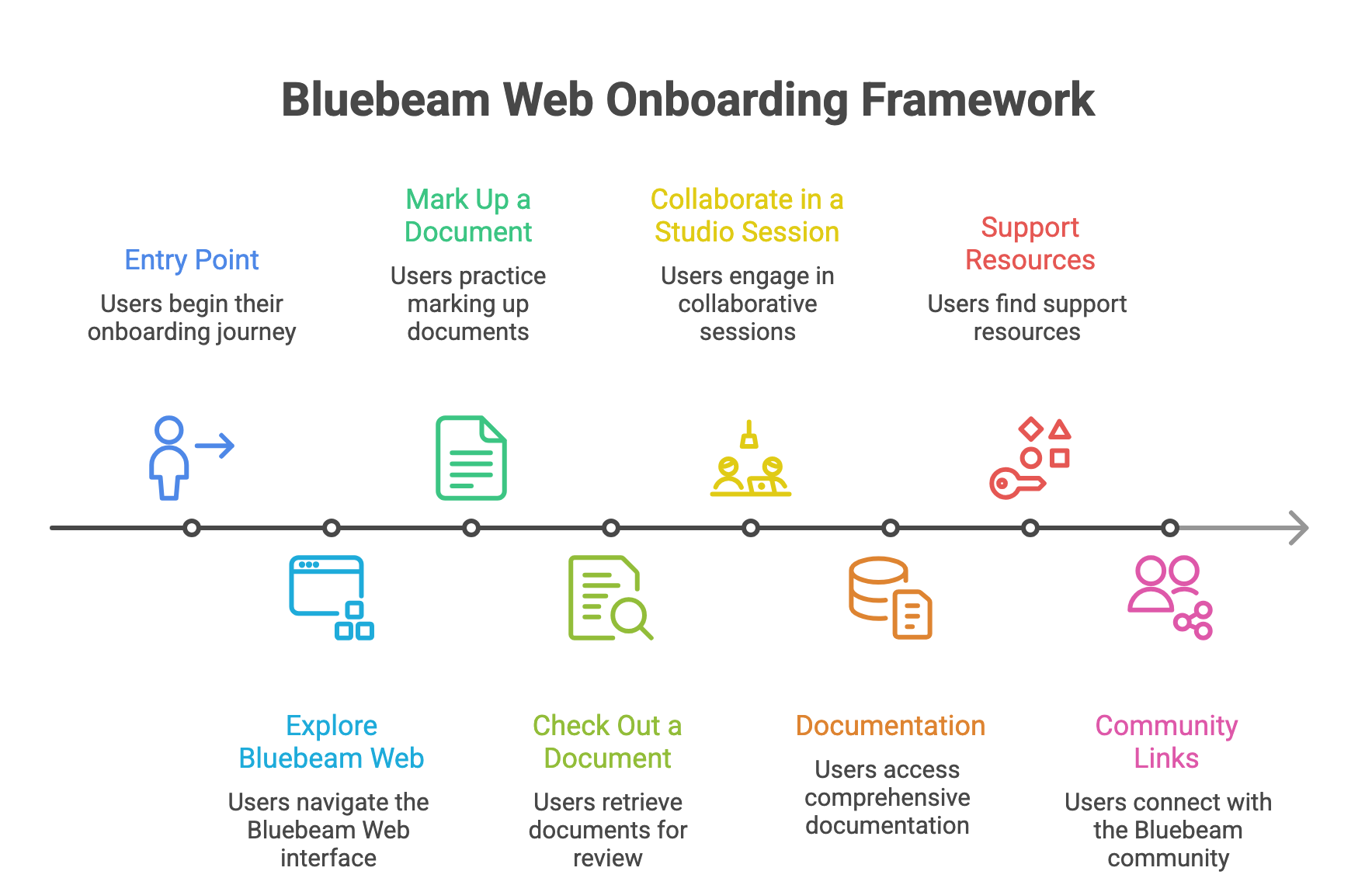
- Mark up a document
- Check out a document in Studio Projects
- Collaborate in a Studio Session
These three workflows became the foundation of the onboarding experience.
Design Strategy
We designed onboarding around three principles:
- Start with real value: Rather than explaining the product, onboarding should help users do something meaningful immediately.
- Reduce setup friction: New users shouldn’t need to upload their own files just to experiment.
- Encourage exploration: Users should feel free to explore without being locked into a tutorial.
The Solution
An Optional Onboarding Side Panel
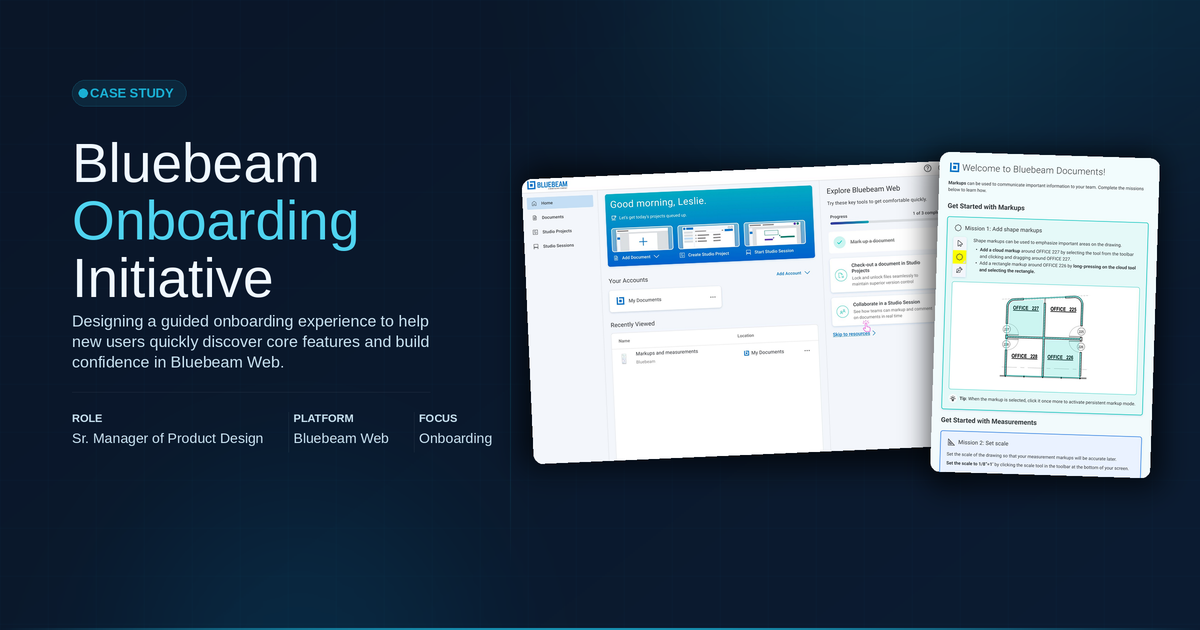
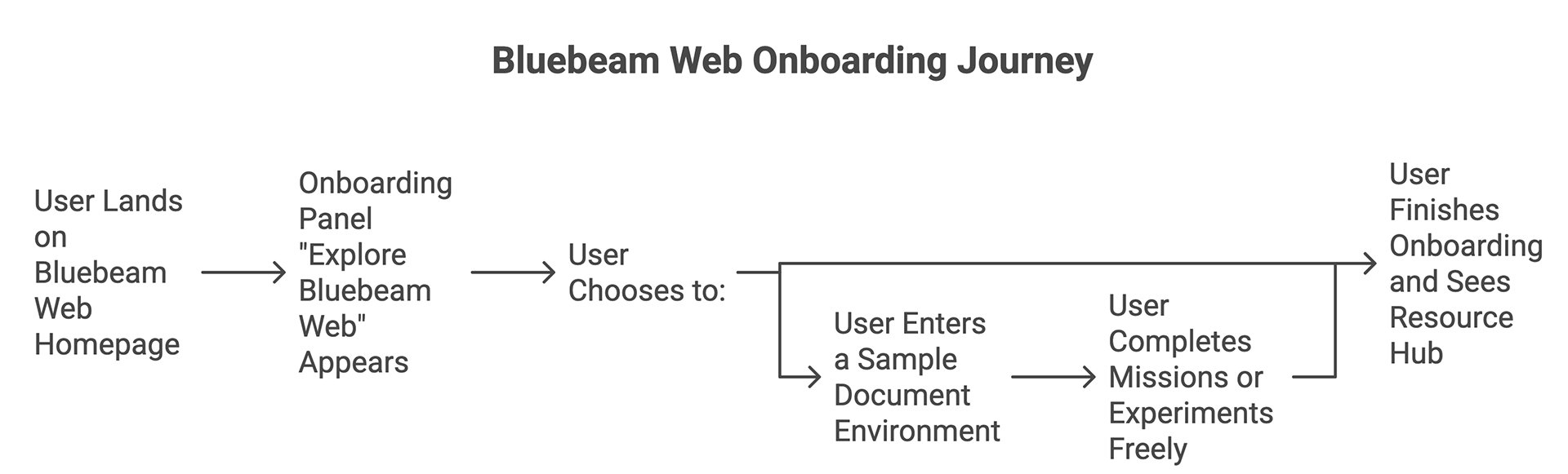
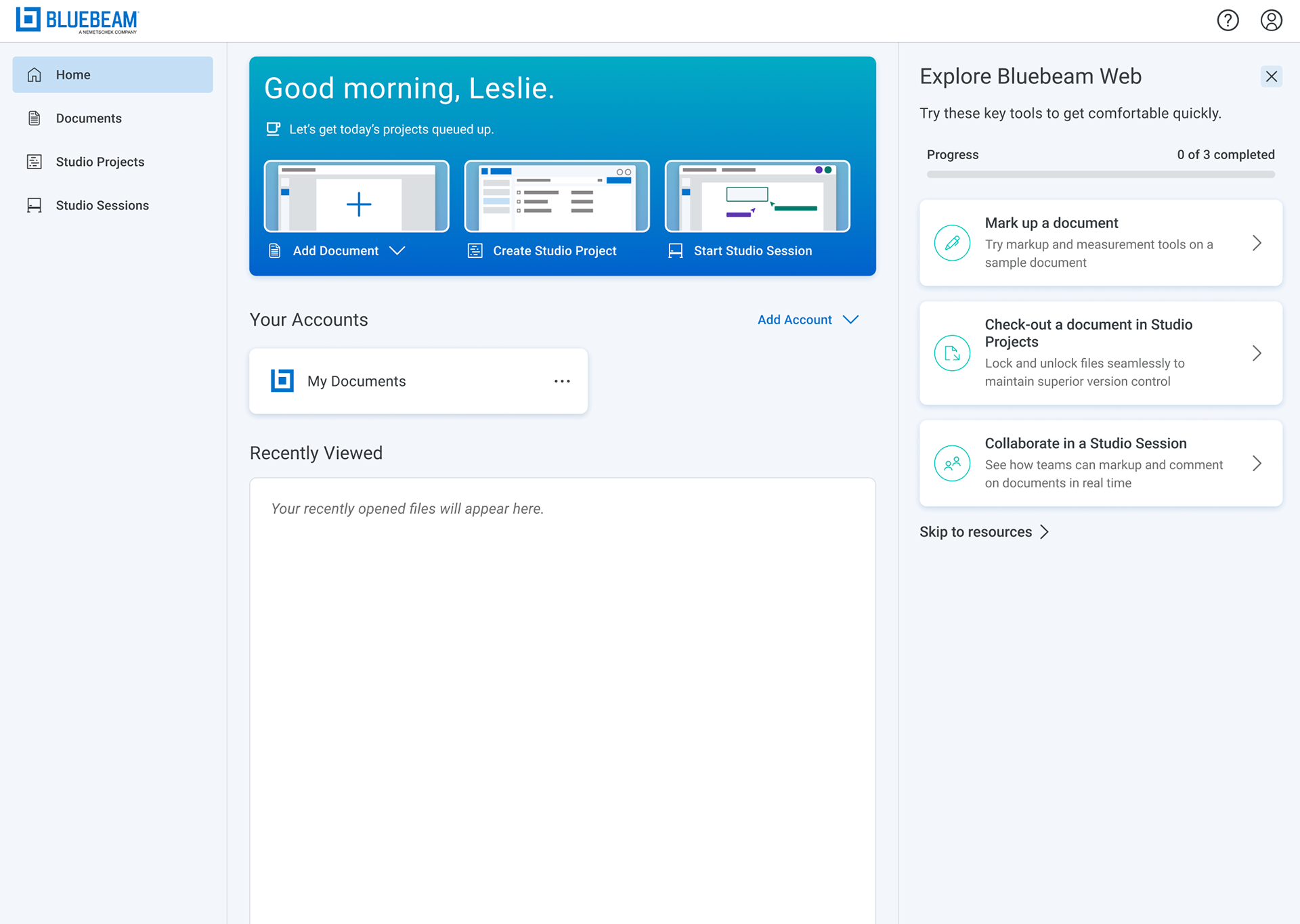
We introduced an onboarding experience called Explore Bluebeam Web, presented as a side panel on the homepage.
This panel:
- introduces the three core workflows
- shows progress as users complete tasks
- can be dismissed at any time
Users who close the panel can easily access it again later.
This ensures onboarding remains helpful but never intrusive.
Gamified Learning Through “Missions”
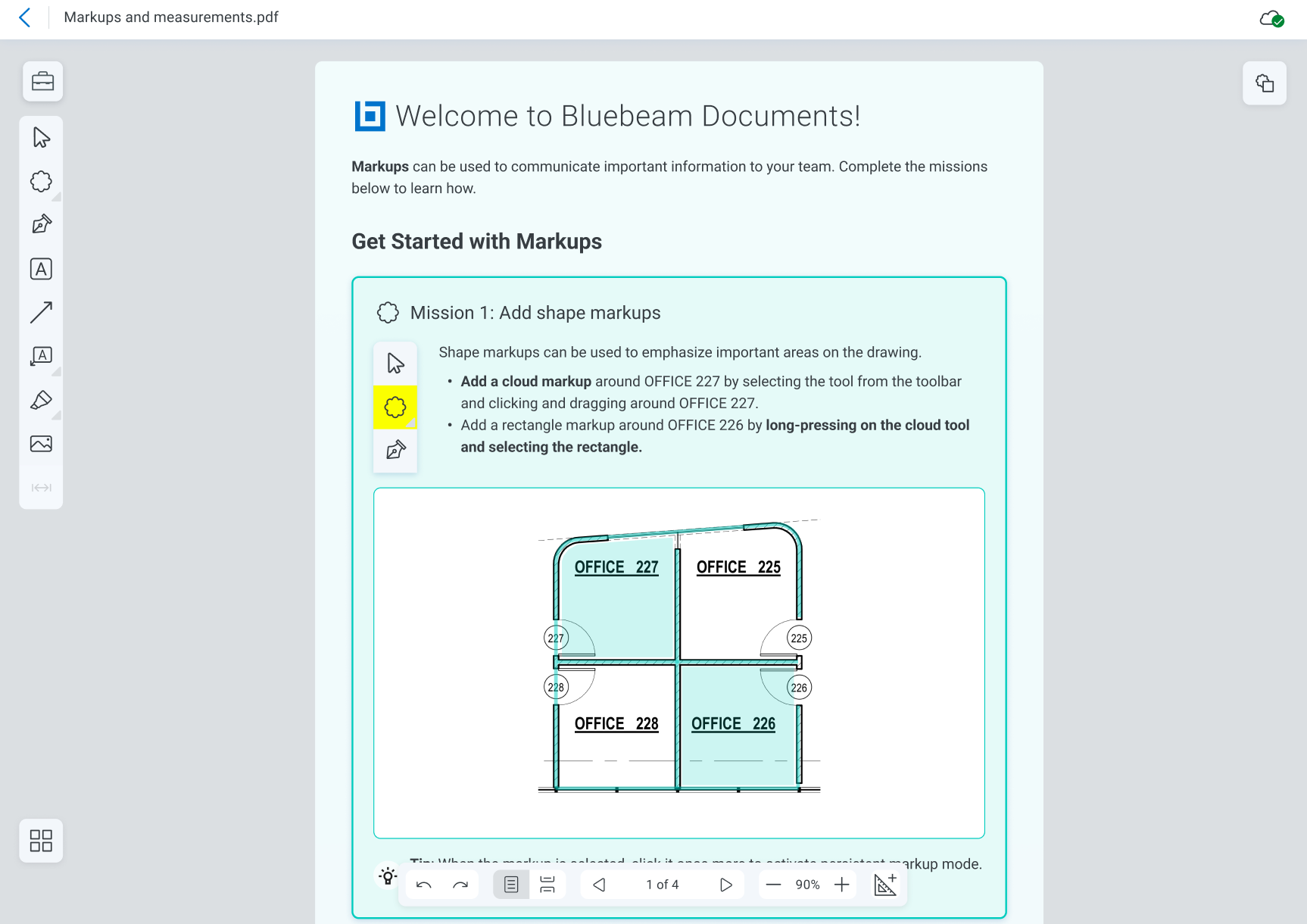
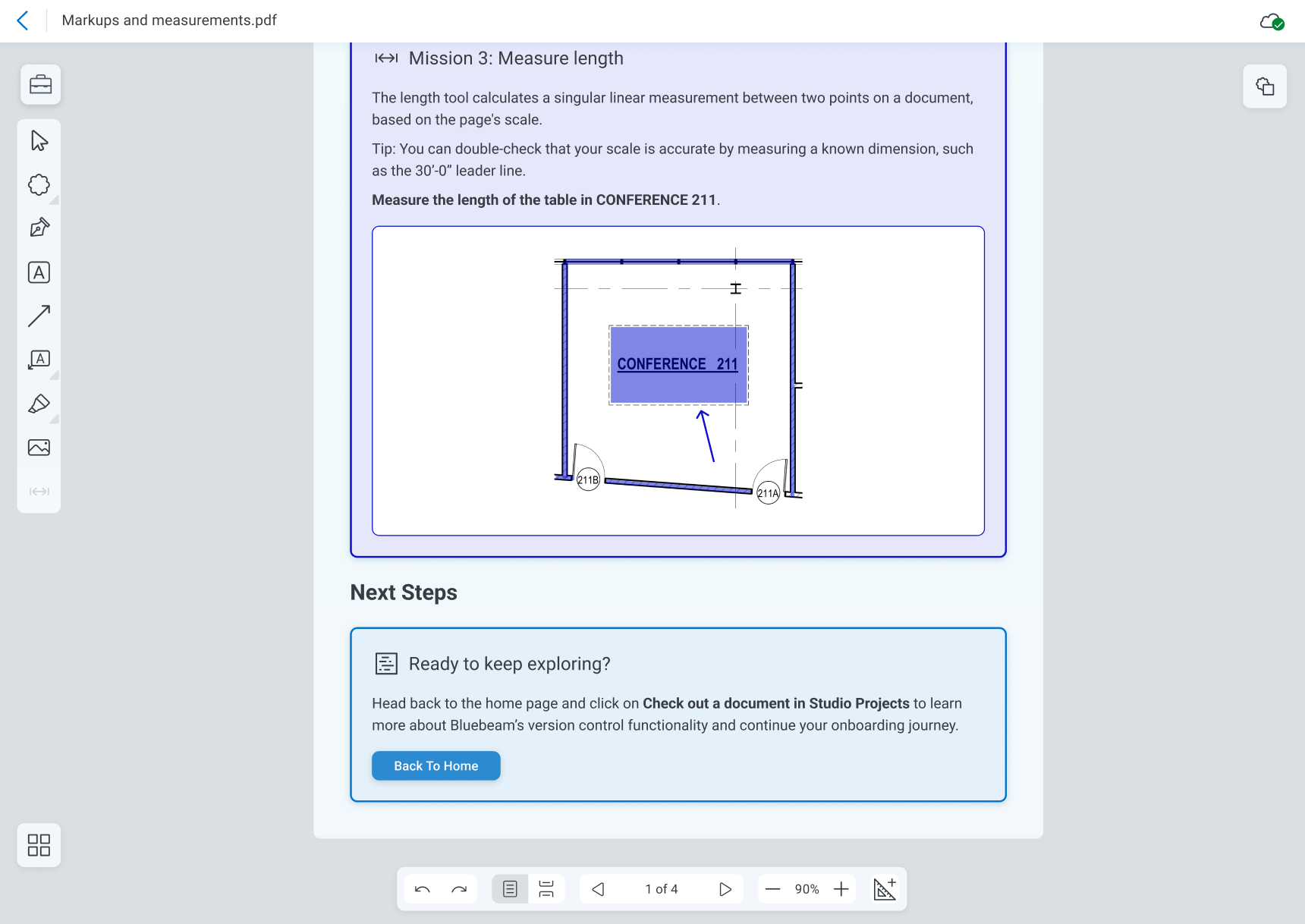
Instead of traditional tutorials, we designed missions that allow users to learn through action.
Each mission introduces a specific capability inside the product.
Examples include:
- adding a markup to a sample drawing
- checking out a document for editing
- inviting collaborators to a session
These missions are optional, allowing users to:
- complete them step-by-step
- skip them entirely
- simply explore the sample files freely
Creating Safe Playgrounds for Learning
One challenge we identified was that users may hesitate to experiment with their own project files.
To solve this, we created sample documents that act as a safe playground.
Users can:
- experiment freely
- test markup tools
- explore collaboration features
without affecting real work.
This significantly lowers the barrier to learning.
Avoiding Over-Guidance
Because Bluebeam Web was intentionally designed to be intuitive, we avoided heavy onboarding patterns such as:
- persistent coach marks
- rigid step-by-step tutorials
Instead, we focused on light guidance through missions and contextual tips.
However, during this initiative we also began exploring coach mark patterns for Bluebeam Revu, the company’s desktop product, where workflows are more complex.
Completing the Onboarding Journey
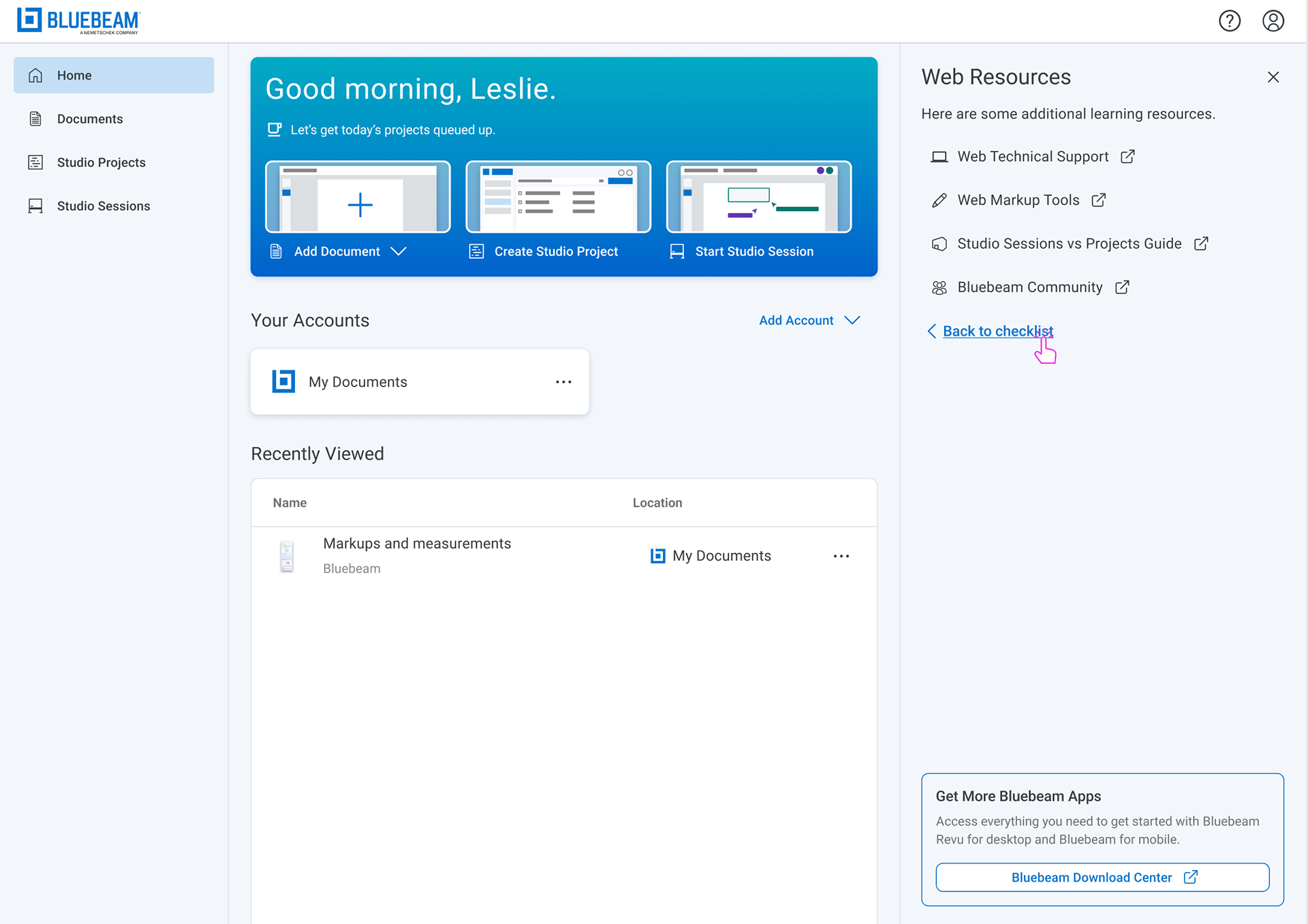
Once users complete the onboarding missions, or choose to skip them, they are presented with a resource hub including:
- technical support
- markup documentation
- guides explaining Studio Sessions vs Projects
- access to the Bluebeam community
This allows users to continue learning at their own pace.
Leadership & Collaboration
As the Product Design Manager, I supported this initiative by:
- guiding the discovery process
- helping define the onboarding strategy
- mentoring the Product Designer leading the work
- ensuring alignment across Product and Engineering
- helping frame the experience for long-term scalability across Bluebeam products
This work also helped inform onboarding approaches used later in other parts of the Bluebeam ecosystem.
Expanding the Framework
This onboarding approach also informed exploration of onboarding patterns for Bluebeam Revu, the company’s desktop product.
Because Revu contains more advanced functionality, we began exploring additional guidance patterns such as:
- contextual coach marks
- feature highlighting
- progressive disclosure of advanced capabilities
This work helped establish a broader conversation within the organization around product adoption and in-product learning.
Impact
This onboarding initiative helped:
- create a clear entry point into Bluebeam Web
- guide users toward the product’s most valuable workflows
- reduce friction for new users learning the platform
It also established a repeatable onboarding framework that could scale across additional Bluebeam products.
Why This Project Matters
For professionals in architecture and construction, time is limited and learning new tools must happen quickly.
This project demonstrated how thoughtful onboarding can:
- reduce learning curves
- support different user behaviors
- create an engaging first product experience
while respecting users’ need to get real work done.